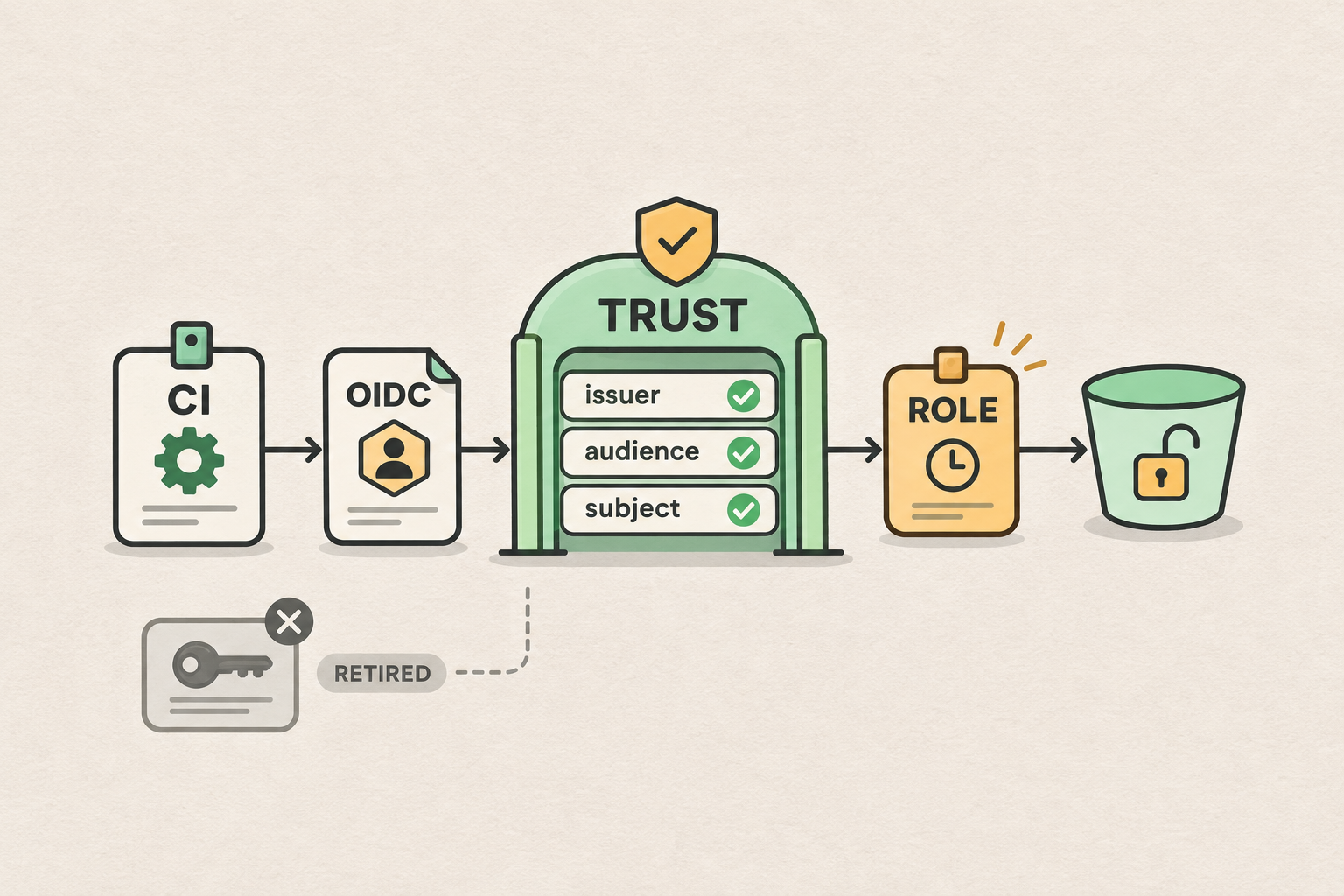
A CI job can use OpenID Connect to present its workload identity to a cloud provider and obtain short-lived credentials, instead of storing a long-lived cloud key in the repository's secrets. The security boundary is the provider's trust decision: which issuer, audience, repository context, and workflow conditions may assume which role.
A short token lifetime does not compensate for a role that trusts every workflow in an organization or grants more authority than the job needs.
Follow the credential exchange
For a GitHub Actions example, separate three steps: the job obtains a GitHub-issued identity token, the cloud's configured trust policy evaluates that token, and the cloud issues credentials constrained by its role and session policy.
GitHub's OIDC overview describes that federation model. The signed identity token is not itself a universal cloud permission, and a role's identity trust policy is different from the permissions attached to that role.
Treat token-bearing URLs, identity tokens, and temporary credentials as secrets during diagnosis. A review record can describe expected claim conditions without publishing a live token or a complete credential response.
Match the actual subject format
The GitHub guide for OIDC with AWS recommends constraining the subject claim and shows audience conditions for that integration. Its current documentation distinguishes subject formats, including formats containing immutable owner and repository IDs. Match the format your repository actually uses instead of copying an older name-only example.
Environment-based subjects also require their corresponding environment rules to be reviewed. A policy naming prod is only as useful as the workflow and protection rules that control access to that environment.
A schematic condition block could look like this:
{"StringEquals":{"token.actions.githubusercontent.com:aud":"sts.amazonaws.com","token.actions.githubusercontent.com:sub":"ACTUAL_APPROVED_SUBJECT"}}This is an incomplete illustration, not a deployable trust policy. The subject placeholder must be resolved from the intended workload and current provider contract. Do not replace it with a wildcard just to make a failed exchange succeed.
Separate permission to request identity from cloud authority
A workflow permission such as id-token: write lets the job request an OIDC token. It does not independently authorize writes to cloud resources. The cloud configuration supplies that second decision.
Keep the permission at the scope that needs it, and inspect the code capable of using the resulting credentials. If untrusted pull-request code can run in a credential-bearing job, a narrow-looking token configuration may still provide an unintended path to the role.
Our GitHub Actions permissions guide addresses workflow-token and supply-chain boundaries. Federation adds a separate trust relationship; it does not remove the need to review actions, reusable workflows, runner access, and deployment inputs.
Verify rejection as well as acceptance
An authorization test plan should include:
| Case | Intended trust decision to inspect |
|---|---|
| Approved deployment context | Can obtain only the intended role/session authority |
| Different repository | Cannot reuse the role merely by requesting the same audience |
| Unapproved ref or environment | Fails the workload-context condition |
| Wrong audience | Does not satisfy the provider integration |
| Unexpected subject format | Fails clearly rather than triggering a broader fallback |
These are proposed cases, not cloud tests executed for this article. Test them in an authorized isolated setup and inspect the cloud audit evidence for the actual assumed identity and actions.
A successful token exchange alone does not prove that the job can perform its required operation or that it cannot perform unrelated ones. Verify the role's permitted resources and denial boundaries separately.
Complete the migration deliberately
Inventory consumers of the old key before retiring it. Migrate and test the intended workflows, remove fallback paths that still depend on the key, and revoke the old credential through the approved process. A secret left active after migration remains a separate access path.
Keep the expected issuer, audience, subject format, role scope, and relevant repository protections in the operating record. Recheck them when repository ownership, deployment environments, reusable workflows, or the provider's subject format changes.
No identity provider, role, credential, or workflow was created or modified here. The article supplies a review framework for a future authorized migration. The useful outcome is a short-lived credential path with a specific workload identity and bounded authority, not simply the absence of a static key in one YAML file.